
Add deadlines to Calendar and Reminders
Assignments with a deadline can go into the Calendar or Reminders app of your Mac.
Add one assignment
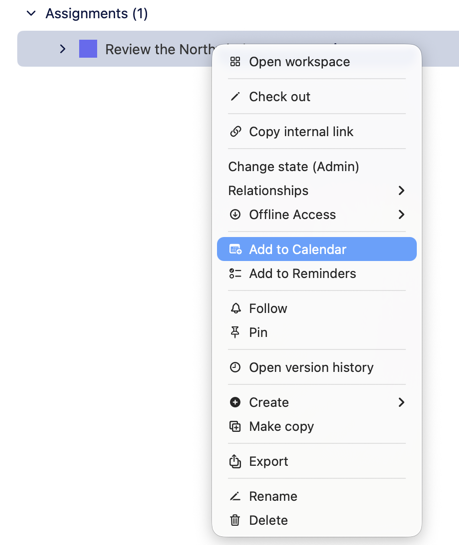
- Right-click an assignment and choose Add to Calendar or Add to Reminders. The same commands are in the File menu.
- The first time, macOS asks whether M-Client may use Calendar or Reminders. Calendar needs only permission to add events; Reminders needs full access.
The event or reminder has the assignment's name and its deadline, as an all-day item when the deadline has no time. Its notes hold the assignment's description, the vault, who assigned it and a link that opens the assignment in M-Client.
If you add the same assignment again, M-Client offers to show the existing item or to update it. An assignment without a deadline shows This assignment has no deadline.
Add new assignments automatically
In M-Client ▸ Settings… ▸ General ▸ Notifications, set Add new assignments to to Calendar or Reminders. New assignments with a deadline are then added by themselves. See Notifications and the Dock badge.