
Drag and drop files into a vault
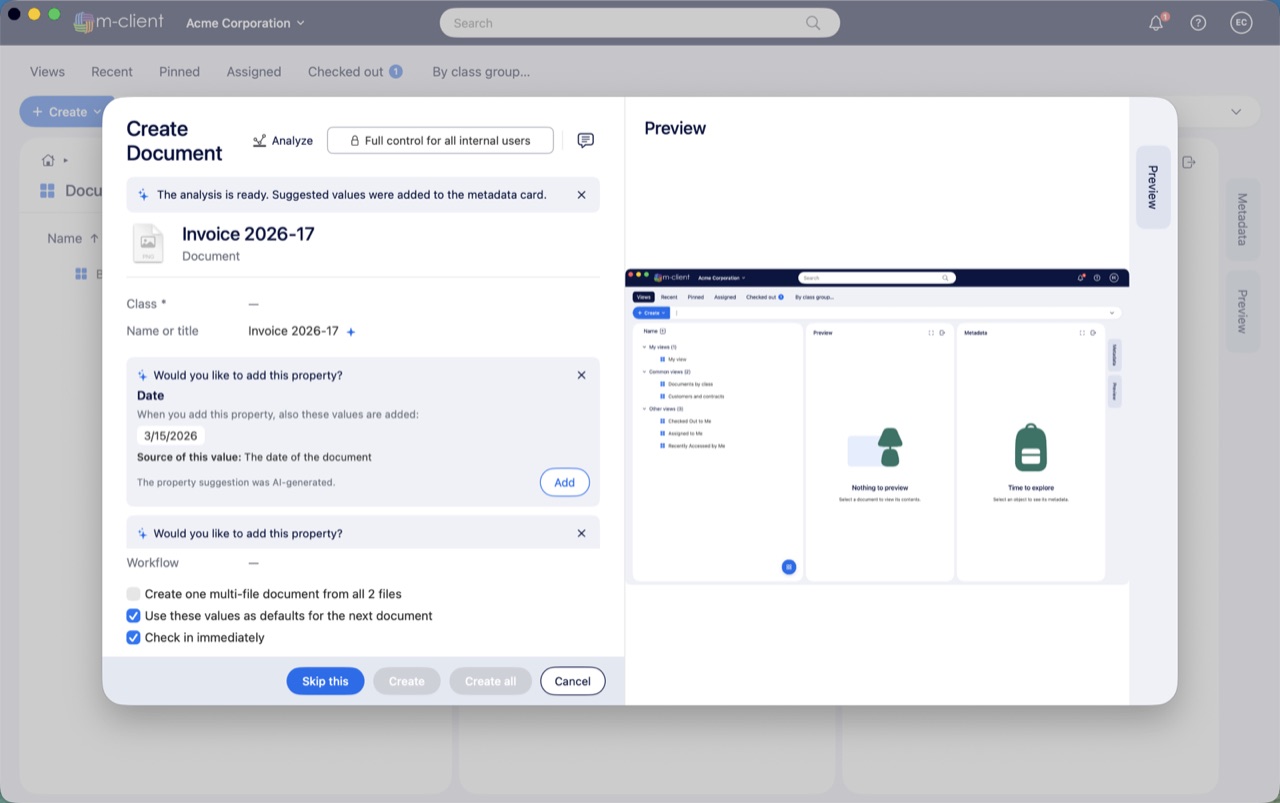
Drag one or more files from Finder, Mail or your desktop onto the listing. M-Client opens a metadata card for each file in turn.
- Create adds the current file and moves to the next one.
- Create all adds the remaining files with the same metadata, each named after its file.
- Skip this leaves a file out; Cancel stops.
- Use these values as defaults for the next document carries the card's values over.
- With several files, tick Create one multi-file document from all (for example from all 3 files) to put them all into a single document.
Copied files work too: copy files in Finder (⌘C) and press ⌘V in M-Client. The metadata card opens the same way. See Copy and paste documents.
Your files are only read: the originals stay where they were. Folders cannot be dropped.