
Window tabs
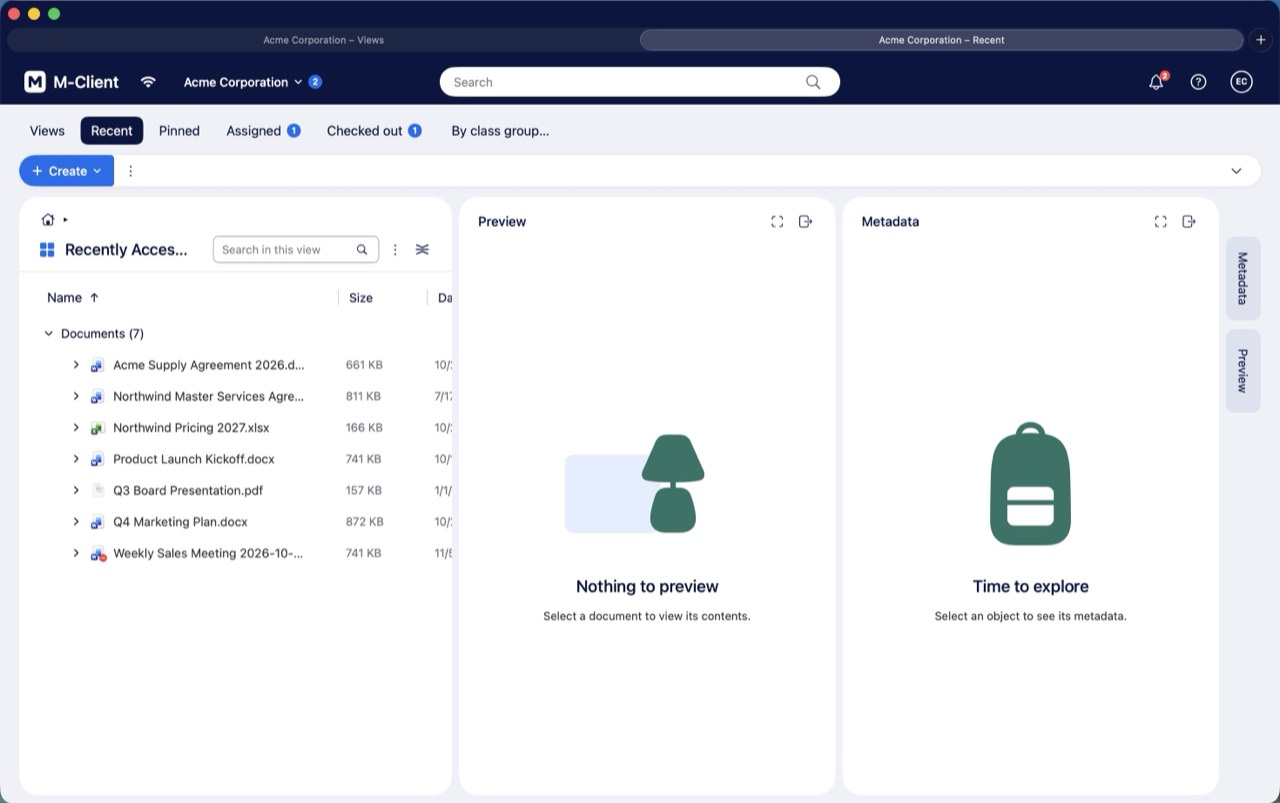
M-Client windows have macOS window tabs, like Finder and Safari.
- Choose File ▸ New Tab (⌘T), or click + in the tab bar, to open the same vault in a new tab, without signing in again.
- Each tab is a vault window of its own, with its own Views, Recent and other tabs, its view, selection and back and forward history.
- Click a tab to switch to it, or press ⌃Tab and ⌃⇧Tab. Drag a tab out of the tab bar to make it a window of its own.
- Window ▸ Merge All Windows puts all vault windows into tabs of one window, also windows of different vaults. Show Tab Bar, Show All Tabs and Move Tab to New Window are in the Window menu too.
Whether new windows open as tabs follows System Settings ▸ Desktop & Dock ▸ Prefer tabs when opening documents. Metadata cards, Settings and the other small windows always stay windows of their own.
To work in several vaults at once, see Open several vaults at once.