
A tour of the M-Client window
If you know M-Files Web, you already know your way around M-Client. Everything is in the same place, as a native Mac window.
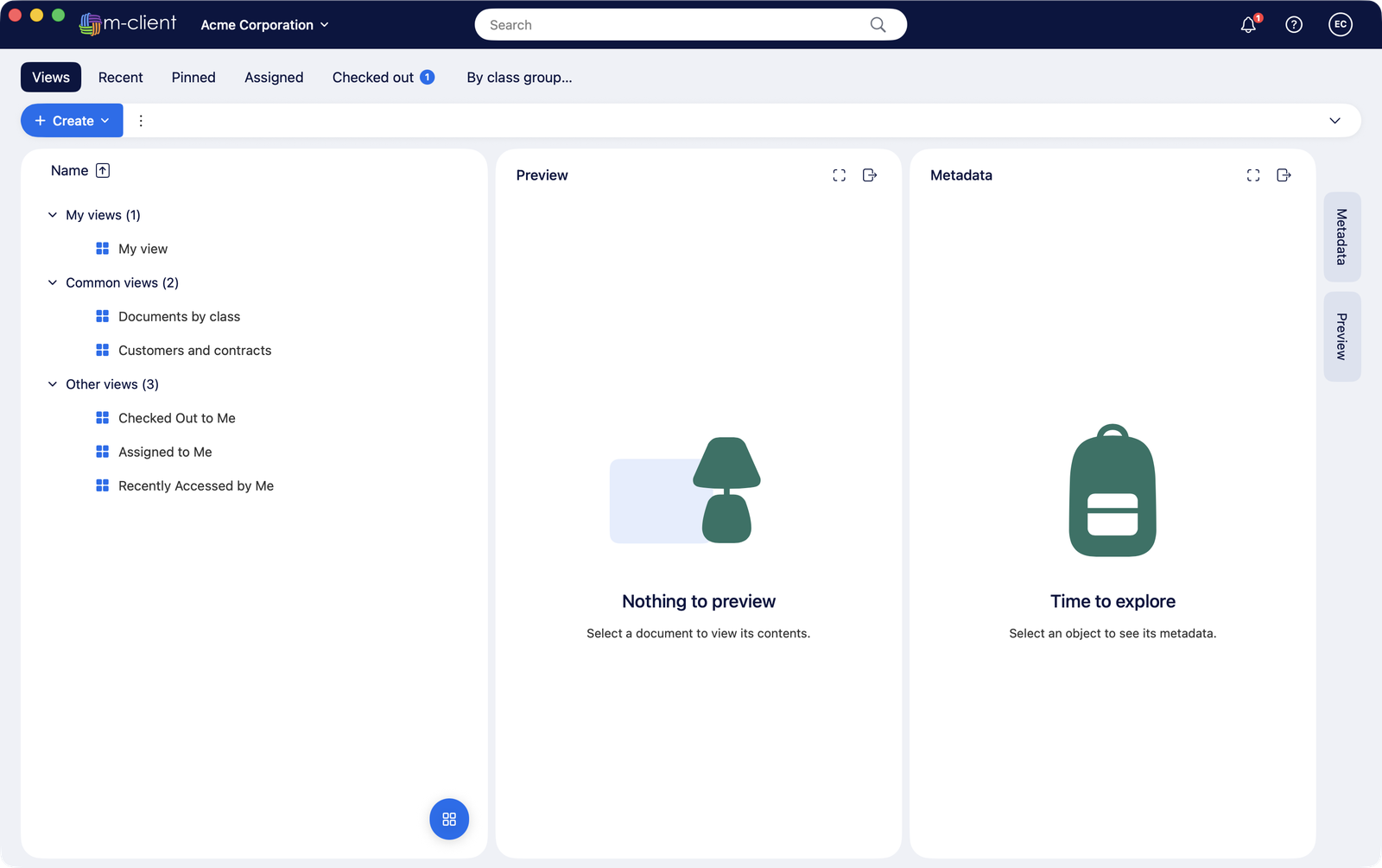
Header
The vault name (click it for the vault menu), the search field in the middle, the notifications bell with your checked-out documents, and the user menu with Settings, Help, About and Log out.
Tabs
- Views: the views of your vault, grouped into My views, Common views and Other views.
- Recent, Pinned, Assigned and Checked out, like M-Files Web.
- Your own tabs: any view you added with Add as a tab, also on M-Files Web.
Listing, preview and metadata
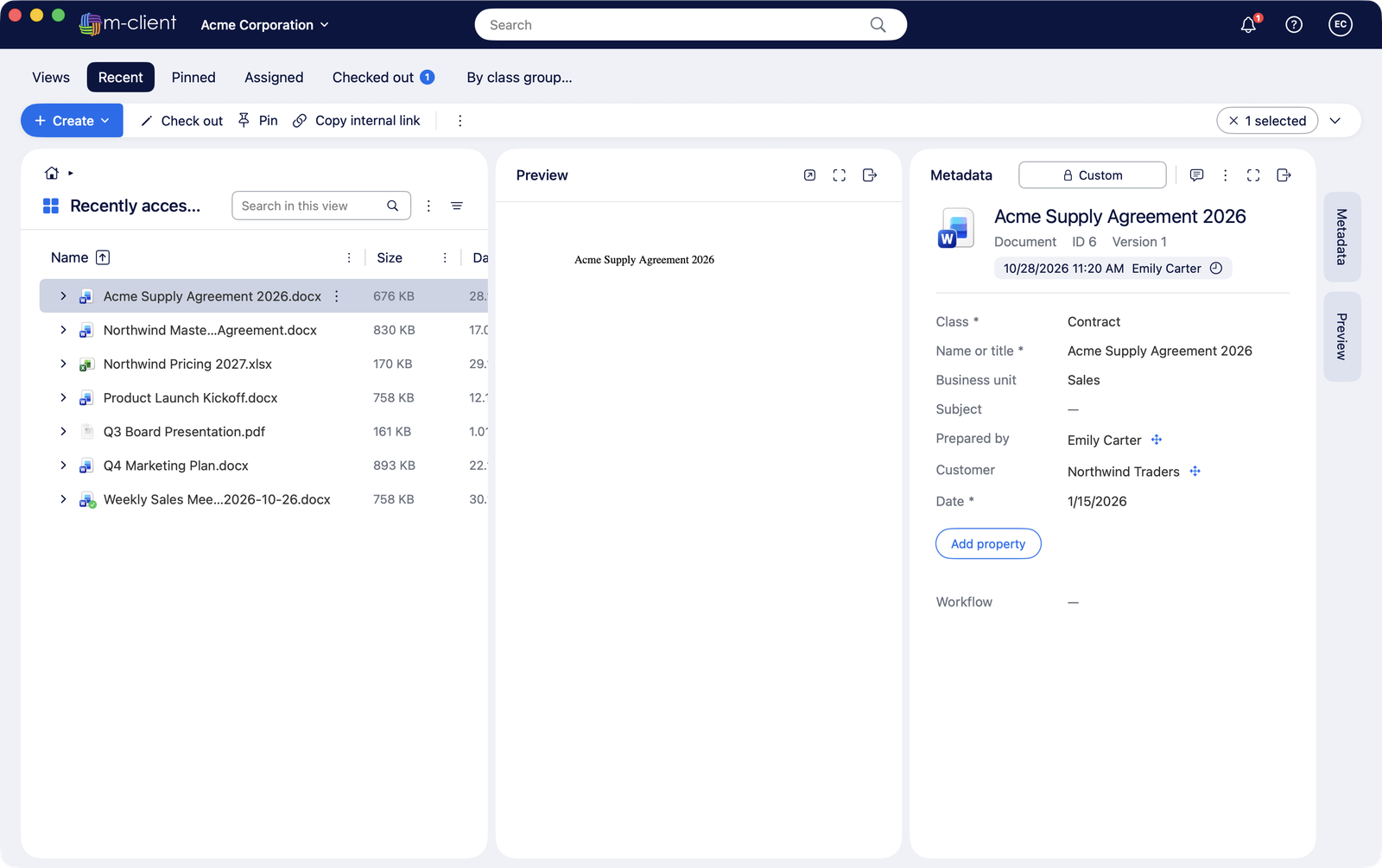
The listing shows the view's own columns and sorting. Select an object to see its preview and its metadata card next to it. Drag the gaps between the panes to resize them, and double-click a gap to reset it.
Action bar
Create, the actions for the selected objects and the ⋮ menu. Right-click any object for the same actions.