
Save to M-Files from any app with the M menu
M-Client puts an M menu in the menu bar. It works in every Mac app, from Word and Excel to Pages and Preview.
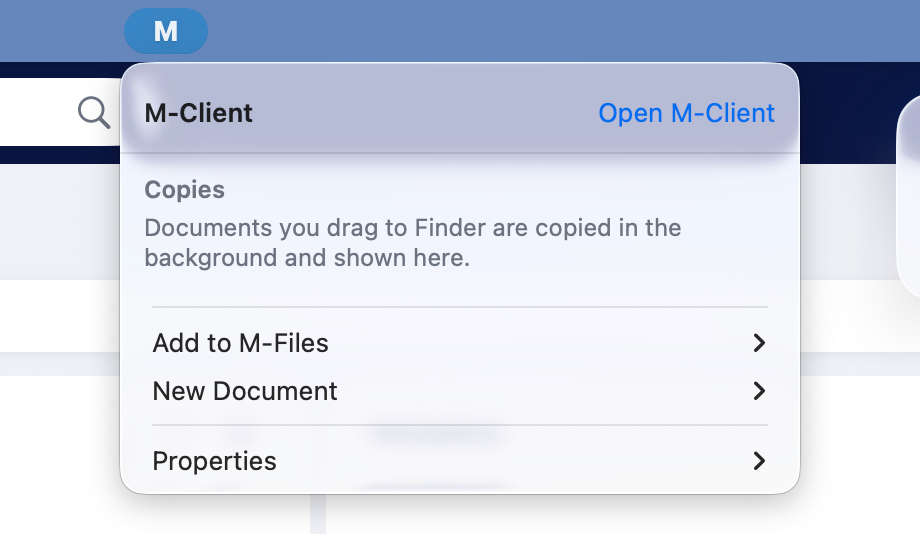
Add the open document to M-Files
- In the app, with your document open, click the M menu and choose Add to M-Files ▸ and the vault. M-Client saves the document and opens the metadata card.
- Fill in the card and click Create.
- The document is created checked out to you, the original closes and the vault copy opens. Go on editing there, and check in when you close it.
The first time you use it with Word, Excel or PowerPoint, macOS asks you to allow M-Client to control the app. Allow it, then choose Add to M-Files again. If the app has no saved document, M-Client asks you to pick the file.
Start a new document
Choose New Document ▸ and the vault. A New Document window opens with the same steps as Create: a template or blank file, the class and the metadata card. The new document opens for editing.
Office properties and copies
- Properties ▸ adds the fields of the M-Files document open in Word, Excel or PowerPoint to the document.
- The top of the menu lists documents you drag to Finder while they copy in the background. Open M-Client brings the main window to the front.